Digital downloads
Create printables for weddings, parties and events.
Event printables work as a coordinated kit: a welcome sign, place cards, a game, all in one look. Design them together, check how they print, and sell the set.
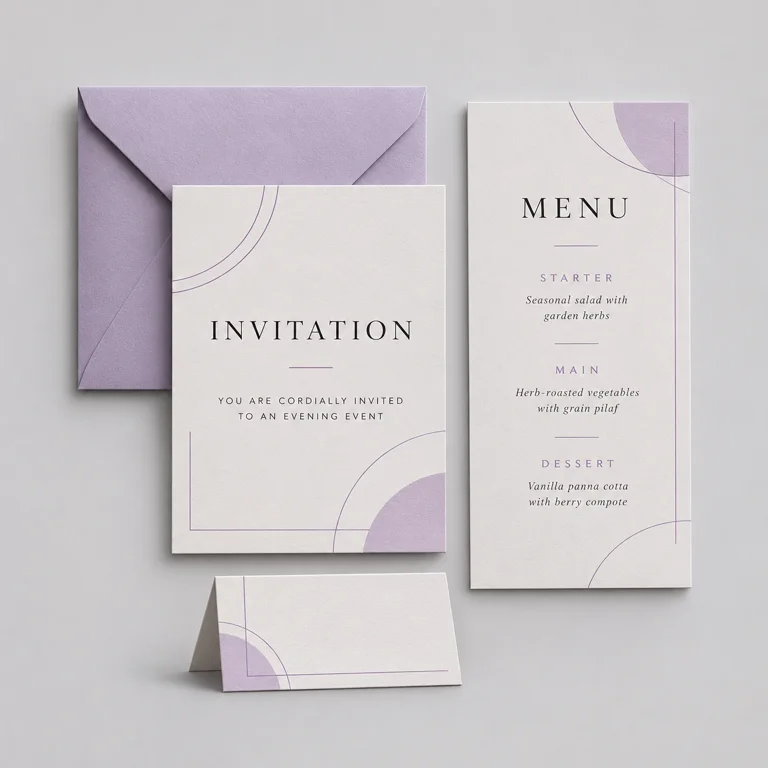
What you end up with.
- A coordinated kit
- Signs, cards, games
- Print-ready PDFs
- Sized for common paper
- Organizer instructions
- How to print and assemble
How to do it in oddPOD.
Each step names the tool it uses.
Plan
Decide who it’s for and what you’ll make.
Create
Design the artwork, pages and products.
Prepare
Get every product ready to list.
Launch
Hand off to your shop and tell people.
Handled outside oddPOD: uploading files and publishing the listing in your shop; delivering the download to buyers (your shop does this); marketplace fees, file-size limits and listing rules.
Where to begin.
Starting points, not promises. Pick one you can reach and make it well.
Wedding signage kit
Welcome, seating, bar menu
Party game packs
Mystery games, scavenger hunts
Kids’ activity kits
Coloring and puzzles for one theme
Questions.
All questionsCan buyers edit names and dates?
Printable PDFs aren’t editable templates. If you offer personalization, you edit the design for each buyer and export a new PDF.
More you can make.
Make your first event printables.
Start with an idea, a design you already have, or a client brief. oddPOD helps with everything after.